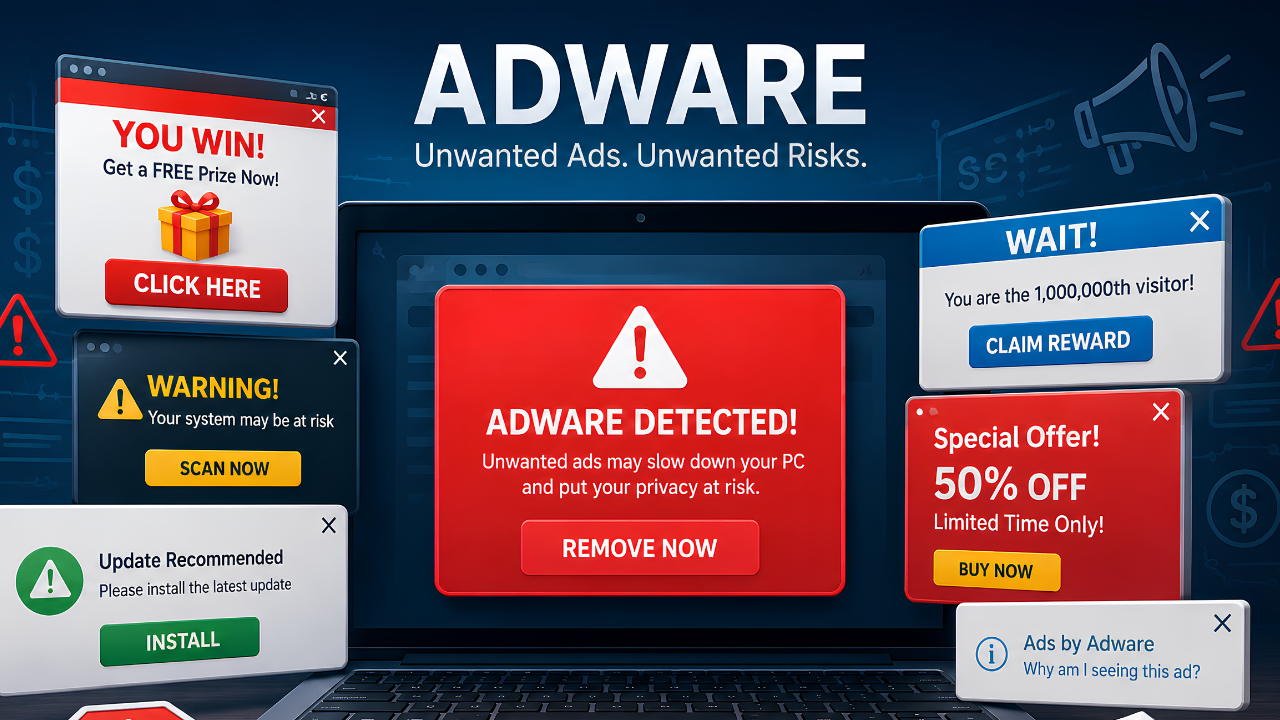
What Is Adware, Exactly?
If you've noticed your browser filling up with pop-ups you never signed up for, or your homepage quietly changed to a search engine you don't recognize, you're probably asking yourself what is adware and how it got there in the first place. Adware is software that automatically displays or downloads advertising material — often disguised as something useful — without giving you clear, informed control over it. After two decades of pulling apart infected systems, I can tell you adware is usually the least destructive category of malware you'll encounter, but it's also the one most people underestimate, because it looks like an annoyance rather than a threat.
That distinction matters. Adware sits in a gray zone between "legitimate but aggressive marketing software" and outright malicious code, and that ambiguity is exactly why so much of it slips past basic antivirus tools that are built to catch known virus signatures rather than behavior.
How Adware Differs From Other Malware Types
Adware's primary goal is to generate ad revenue or referral traffic for whoever installed it — not to steal your data or hold your files hostage. That puts it in a different category from spyware, ransomware, or rootkits, which are built around data theft, extortion, or persistence. Adware is closer to a parasite than a predator: it wants to stay hidden and keep feeding, not necessarily cause damage. But "less destructive" is not the same as "harmless," which we'll get into below.
How Does Adware Get Onto Your Computer?
Adware rarely arrives on its own. It almost always rides in alongside something else you intentionally downloaded, which is why removal is often harder than people expect — you're not just deleting one file, you're untangling it from a program you actually wanted.
Bundled Software Installers
The most common delivery method by far is bundling. Free utilities, PDF converters, and "system optimizer" tools frequently include adware as a pre-checked add-on during installation. Rushing through an installer with the default "Next, Next, Next" approach is the single biggest reason adware ends up on a machine.
Malicious or Compromised Websites
Drive-by downloads from compromised ad networks or shady streaming and download sites can push adware onto a system with little to no user interaction beyond visiting the page.
Fake Software Updates and Cracked Programs
Fake "your Flash Player is out of date" prompts and pirated software installers are two of the oldest tricks in the book, and they still work because they mimic legitimate update flows people are conditioned to click through.
Browser Extensions
Toolbars and browser extensions — especially ones offering "free" coupon finders, PDF tools, or video downloaders — are a favorite vehicle because they get direct, persistent access to your browsing sessions and can inject ads into every page you visit.
Common Signs You Have Adware
Adware infections tend to announce themselves, which is actually one of the easier ways to catch them early. Watch for:
- A surge in pop-up ads, including ones appearing outside your browser window
- A new browser homepage, default search engine, or toolbar you didn't install
- Noticeably slower browsing and page-load times
- Ads appearing on websites that normally don't show them, or unusual coupon/banner overlays
- Unfamiliar browser extensions you don't remember adding
If several of these show up at once, it's worth running a full scan rather than assuming it's a one-off glitch. For a broader diagnostic checklist covering infection symptoms beyond adware specifically, this rundown of common infection warning signs is a useful companion read.
Adware vs. Spyware vs. Virus: How They Compare
These terms get used interchangeably in casual conversation, but they describe genuinely different behaviors. Here's how they break down:
| Type | Primary Goal | Data Risk | Typical Delivery | Removal Difficulty |
|---|---|---|---|---|
| Adware | Generate ad revenue | Low to moderate | Bundled installers, extensions | Low to moderate |
| Spyware | Collect data covertly | High | Phishing, bundled installers | Moderate to high |
| Virus | Self-replicate, corrupt/damage files | Moderate to high | Infected files, email attachments | High |
How Adware Actually Makes Money
Understanding the business model behind adware makes it much easier to spot in the wild, because almost every variant is built around one of a handful of monetization tactics.
Ad Injection
The most visible tactic: inserting extra banner ads, pop-ups, or in-text link ads into pages that never had them, generating revenue every time you view or click one.
Affiliate Link Hijacking
Some adware rewrites legitimate shopping links so that whoever installed the adware collects the referral commission instead of the site you actually meant to support — invisible to you, but it's quietly redirecting revenue on every purchase you make.
Search Result Manipulation
Adware that changes your default search engine or injects sponsored results into your search pages is typically paid per click or per redirect, which is why homepage and search-engine hijacking is one of the most common symptoms.
Is Adware Dangerous? What It Can Actually Do
Most adware is built to be a nuisance, not a weapon — but that doesn't make it safe to ignore. A few real risks worth knowing:
It Can Track Your Browsing Habits
Many adware programs monitor which sites you visit and what you click on to target ads more precisely, which is a meaningful privacy concern even without outright data theft.
It Can Open the Door to Worse Infections
Adware that hijacks your browser settings or injects code into web pages can also be used as a delivery mechanism for more serious threats down the line, since it already has a foothold on your system.
It Degrades System Performance
Constant ad-serving processes running in the background consume CPU, memory, and bandwidth, which adds up over time — especially on older hardware.
Why It Matters More for Small Businesses
On a single home PC, adware is mostly an annoyance. Across a small business network, the math changes: injected ads and hijacked search results on shared or customer-facing machines can look unprofessional or unsafe to clients, background ad-serving processes eat into bandwidth on already-stretched office connections, and a browser extension with broad permissions on one employee's machine can become a foothold if it's ever repurposed to deliver something worse. Adware is rarely the headline threat in a business security review, but it's often the first sign that endpoint hygiene has slipped.
How to Remove Adware From Your Computer
Removal generally follows three stages: identify what's installed, remove the offending programs and extensions, then verify nothing was left behind.
Step 1: Check Installed Programs and Extensions
Review your list of installed applications and browser extensions for anything unfamiliar, especially items installed around the time symptoms started.
Step 2: Reset Browser Settings
Restoring your browser's default homepage, search engine, and new-tab page will undo most of the surface-level hijacking adware relies on.
Step 3: Run a Full Anti-Malware Scan
This is the step that actually matters most, because manually deleting a program rarely removes every associated file, registry entry, or scheduled task adware leaves behind. This is also where signature-based antivirus tools tend to fall short — a lot of adware is technically "legitimate" software with aggressive, undisclosed behavior, which means it doesn't always match a known virus signature. Behavioral detection, which watches for what a program actually does rather than matching it against a database of known threats, is what catches adware that's been repackaged or lightly modified to dodge signature checks. See how dtmalwaresafe's detection engine works for more detail on this approach.
How to Prevent Adware Long-Term
Choose Custom Install Options
Always select "Custom" or "Advanced" during installation instead of "Express" or "Recommended." Bundled add-ons are almost always pre-checked, and the custom path is usually the only place you'll actually see them listed.
Stick to Official Download Sources
Download software only from the vendor's own site or a verified app store. Third-party download aggregators frequently repackage legitimate installers with adware bundled in, even when the original program is completely clean.
Audit Your Browser Extensions Periodically
Review new extensions before installing them, and set a recurring reminder — quarterly is reasonable — to check your existing list for anything you don't remember adding or no longer use.
Keep Real-Time Protection Running
Occasional manual scans catch what's already there; real-time, behavior-based protection is what stops adware from installing in the first place, which is a meaningfully better position to be in than cleaning up after the fact.
For a broader framework beyond adware specifically, our anti-malware buying guide covers the features worth prioritizing across every category of threat.
Frequently Asked Questions
Is adware illegal?
Not inherently. Some adware is distributed by legitimate advertising companies operating within (often buried) terms of service. It becomes a security issue when it's installed without clear consent, hides its presence, or resists removal — which describes the large majority of adware found on infected consumer machines.
Can adware steal my passwords or financial information?
Standard adware is not designed to harvest credentials or financial data — that's spyware's job. However, adware that hijacks your browser or injects scripts into pages can create openings that more dangerous malware exploits, so it shouldn't be treated as risk-free.
Will antivirus software remove adware?
Some will, but many antivirus products are tuned to prioritize known malicious signatures over the gray-area behavior adware exhibits. Dedicated anti-malware tools that rely on behavioral detection tend to catch a wider range of adware variants, including newer or repackaged ones.
Why does adware keep coming back after I remove it?
Recurring adware usually means either the removal missed an associated browser extension or scheduled task, or the same bundled installer is being reinstalled from a habit (like reinstalling a "free" utility) without noticing the add-on checkbox. A full system scan combined with a browser reset typically resolves persistent cases.
Does adware affect phones and tablets, or just computers?
Mobile devices get adware too, most often through sideloaded apps or app-store listings that request excessive permissions. The symptoms look similar — unexpected ads, browser redirects, battery drain — but removal usually means uninstalling the offending app rather than running a desktop-style scan.
Stop Adware Before It Slows You Down
Adware might not be the most dangerous entry on the malware spectrum, but it's one of the most common, and it's a clear signal that something got past your current defenses. dtmalwaresafe uses behavioral detection to catch adware variants that signature-based tools routinely miss, along with the browser hijackers, spyware, and other threats that often travel alongside it. Explore dtmalwaresafe's plans to see which level of protection fits your setup and start scanning for free.