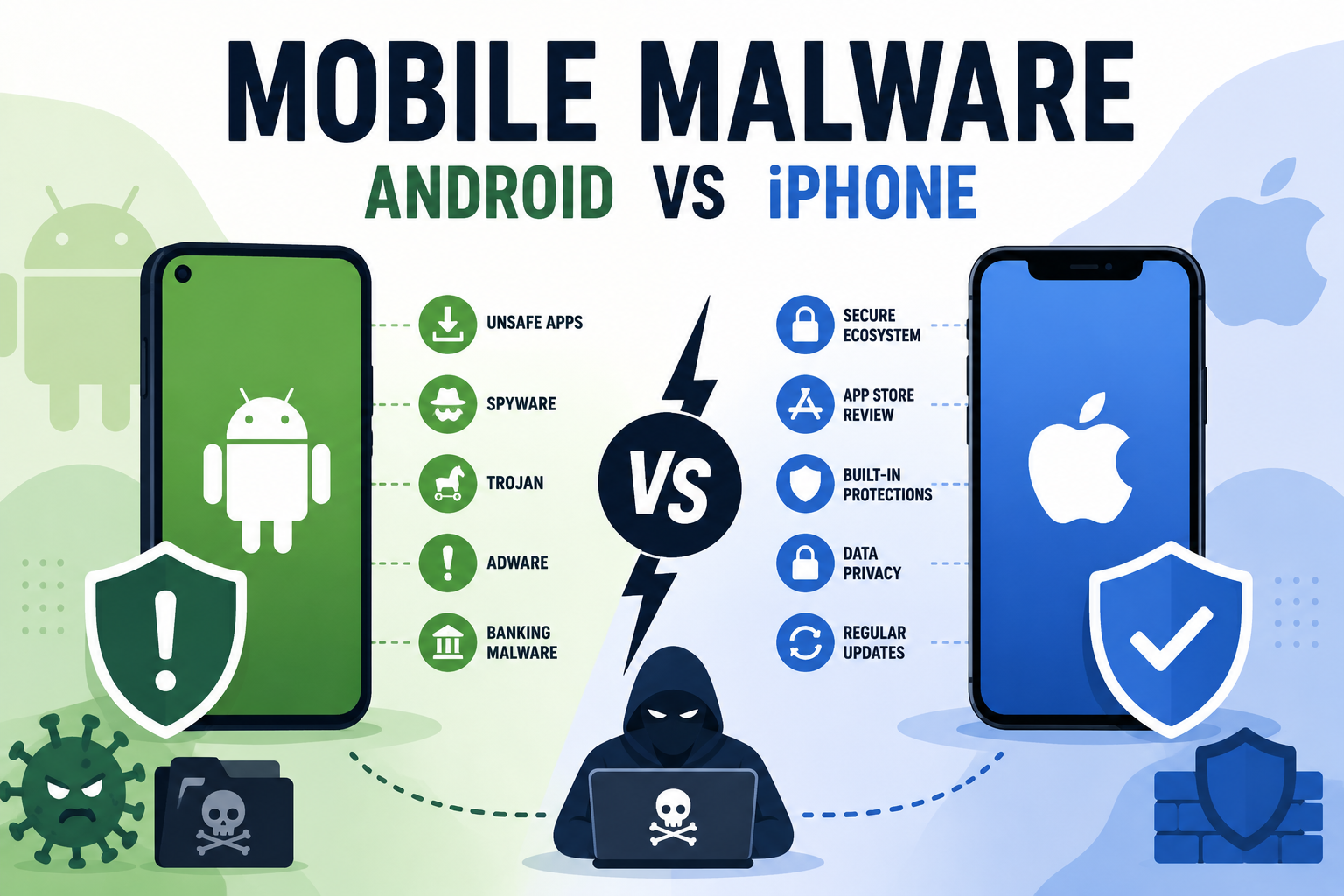
Mobile Malware 101: How Android and iPhone Threats Differ
Mobile malware doesn't get nearly the attention desktop threats do, but it's a real and growing risk. However, Android and iPhone face this risk in very different ways, largely because of how each platform is built. Understanding that difference matters, since the advice that protects an Android phone often doesn't apply to an iPhone at all, and the other way around.
This guide breaks down how mobile malware actually spreads on each platform, the specific risks worth knowing, and what real protection looks like for both.
Why Android and iPhone Handle Malware Differently
The core difference comes down to how open each platform is. Android allows apps from outside the official Play Store and gives developers deeper access to the operating system. As a result, it offers more flexibility, but also more room for malicious apps to operate. iPhone, in contrast, locks down app installation and system access far more tightly. This doesn't make iPhone immune to threats. It does, however, change what those threats look like.
How Malware Spreads on Android
Sideloaded Apps and Third-Party App Stores
Android lets users install apps from outside the Play Store, a process called sideloading. This is useful for legitimate reasons, like installing a beta app or one not available in your region. Even so, it's also the single biggest source of Android malware. Apps from unofficial sources skip Google's review process entirely, which means nothing stands between a malicious app and your device except your own judgment.
Malicious Apps That Slip Past Play Store Review
Even official app stores aren't perfect. Occasionally, malicious apps pass initial review and get published, sometimes disguised as flashlight tools, wallpaper apps, or simple games. They're usually removed once discovered, but not before some users install them. In some cases, an app behaves normally for weeks before a later update quietly adds malicious behavior, which makes relying on install-time review alone risky.
Excessive App Permissions
Many Android apps request far more permissions than they actually need, like access to contacts, messages, or location for an app that has no real reason to need them. Malicious apps use these permissions to collect data or send unauthorized messages in the background. A simple habit helps here: before installing anything, glance at the permissions it asks for and ask whether they actually match what the app claims to do. A calculator app requesting access to your contacts and camera is a clear red flag, regardless of how polished it looks.
How Malware Spreads on iPhone
Phishing and Social Engineering
Since iOS restricts app installation to the App Store by default, most iPhone-targeted attacks skip apps entirely. Instead, they rely on phishing links, fake login pages, and messages designed to trick someone into handing over credentials directly. A convincing fake iCloud login page, for example, doesn't need to bypass Apple's app review at all. It just needs someone to type in their password.
Configuration Profile Abuse
iOS allows configuration profiles for legitimate purposes, like setting up work email or a VPN. Attackers have used fake profiles to redirect traffic or install unwanted settings, usually by convincing someone to install the profile through a deceptive link or message. Because installing a profile requires explicit permission, this attack depends entirely on persuasion rather than a technical exploit, which is exactly why awareness matters as much as software here.
Jailbroken Devices
Jailbreaking removes Apple's built-in restrictions, which also removes many of the protections that keep iPhone relatively resistant to traditional malware. A jailbroken iPhone behaves much more like an open platform, with the added risk that comes with it.
Why Mobile Threats Get Overlooked
Most people are far more cautious on a laptop than on a phone, even though phones now handle banking, email, two-factor codes, and stored passwords. Part of this comes down to habit. Desktop malware has been a known concern for decades, while mobile threats are newer and less discussed. Part of it also comes down to design. A phone's interface hides a lot of what's happening in the background, so there's rarely an obvious moment where something looks clearly wrong. That gap between how much a phone actually holds and how little scrutiny it usually gets is exactly what makes it an appealing target.
Warning Signs Your Phone May Have Malware
- Battery draining much faster than usual, even with normal use.
- Unexpected data usage spikes you can't explain.
- New apps you don't remember installing.
- Pop-up ads appearing outside of apps or your browser.
- The phone running noticeably hot or slow without a clear cause.
None of these signs guarantee an infection on their own. Even so, several appearing together is worth investigating further.
Android vs. iPhone: Mobile Threat Comparison
Here's how the two platforms compare on the risks that matter most:
| Factor | Android | iPhone |
|---|---|---|
| Primary Risk | Malicious apps, sideloading | Phishing, social engineering |
| App Installation Control | Open, sideloading allowed | Restricted to App Store by default |
| Traditional Malware Risk | Higher | Lower, unless jailbroken |
| Most Effective Defense | Avoid sideloading, review app permissions | Avoid phishing links, don't jailbreak |
Why This Matters for Small Businesses Too
Mobile devices increasingly hold as much sensitive business data as laptops, from email to shared files to two-factor authentication codes. A single infected Android phone used for work email can expose far more than personal photos and messages. Because of this, a basic mobile security policy is worth having, even for a small team. That means clear rules on sideloading, app permissions, and what to do if a device shows warning signs. It also means treating a lost or compromised phone with the same urgency as a compromised laptop, since the access it holds is often just as valuable.
How to Protect an Android Phone
- Stick to the Play Store, and avoid sideloading apps from unfamiliar sources.
- Check app permissions before installing, and revoke ones that don't make sense later.
- Keep Android and all apps updated to the latest version.
- Read app reviews and check developer reputation before installing anything unfamiliar.
How to Protect an iPhone
- Be cautious with links in texts, emails, and messages, even from familiar-looking senders.
- Never install a configuration profile unless you're certain of its source.
- Avoid jailbreaking unless you fully understand and accept the added risk.
- Keep iOS updated, since security patches often close the exact gaps attackers rely on.
Does Either Platform Need Anti-Malware Software?
Android benefits clearly from dedicated anti-malware protection, given its more open app ecosystem. iPhone's restrictions reduce the need for traditional malware scanning, but they don't eliminate risk from phishing or account compromise. In both cases, good habits matter as much as software. However, on Android in particular, real-time behavioral detection adds a meaningful layer that built-in protections alone don't fully cover. dtmalwaresafe's detection engine is designed with that gap in mind.
Frequently Asked Questions
Is iPhone completely immune to malware?
No, though it's significantly more resistant to traditional malware than Android. Most successful iPhone attacks rely on tricking a person, through phishing or a malicious profile, rather than installing malware directly through an app.
Do I need antivirus on Android?
Dedicated anti-malware protection is a reasonable step for Android, especially if you sideload apps or install from sources outside the Play Store. Even Play Store apps occasionally slip past review, so an extra layer of protection helps.
Can malware spread through text messages on either platform?
Yes, though usually through a malicious link rather than the message itself. This applies to both Android and iPhone, since phishing links work independently of which operating system you're using.
Does resetting my phone remove malware?
In most cases, yes, especially for app-based Android malware. However, a factory reset won't undo damage from a phishing attack that already exposed your credentials elsewhere, so changing affected passwords is still necessary afterward.
Are public Wi-Fi networks riskier for phones than for computers?
Not inherently more dangerous, but the underlying risk is the same either way. A phone connected to an unsecured public network faces the same interception risks a laptop does. Using a VPN on public Wi-Fi is a reasonable precaution regardless of which device you're using.
Protect Every Device, Not Just Your Computer
Mobile threats look different from desktop malware, but the core idea stays the same: real protection depends on understanding how threats actually reach a device, not just installing something and hoping for the best. dtmalwaresafe brings real-time, behavior-based detection to the devices that need it most. Check out dtmalwaresafe's plans and see what fits your setup.
Need help installing or setting up your protection? Our tech partner devtaastic.com offers computer support to get you up and running.