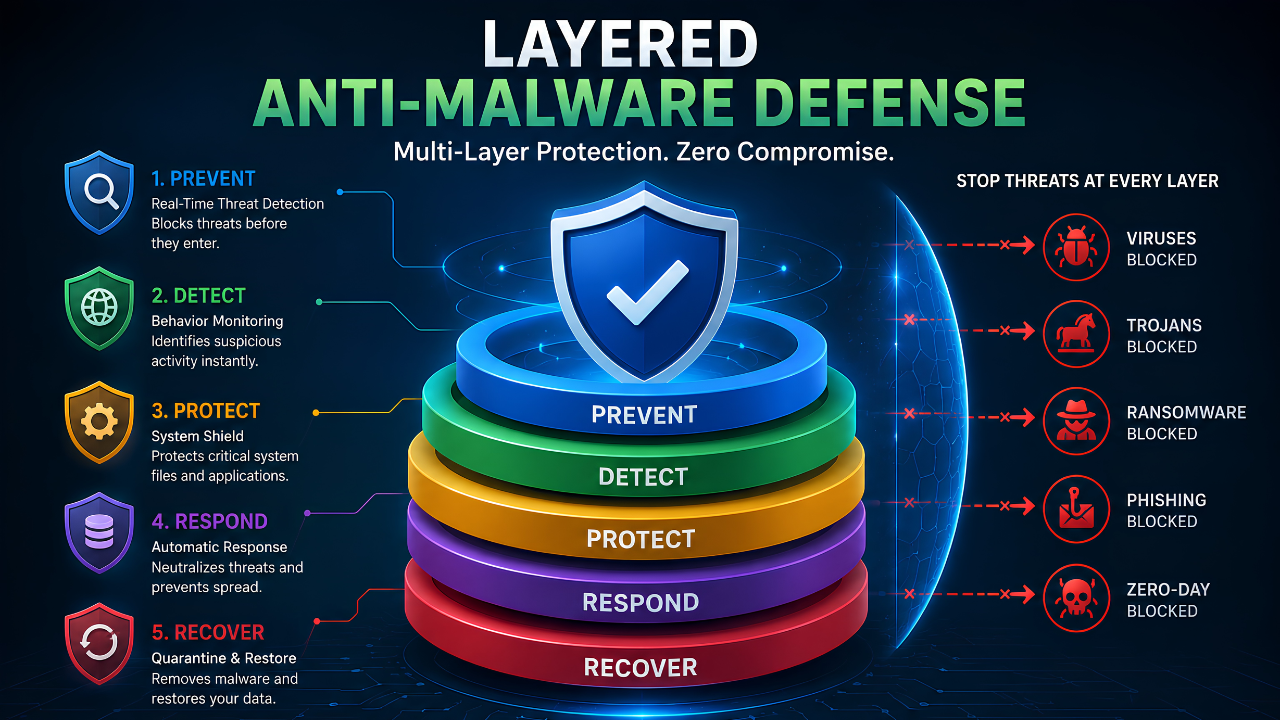
What Is a Layered Anti-Malware Defense?
A layered anti-malware defense means you don't rely on just one tool. Instead, you stack several protections together. If one layer misses a threat, another layer catches it. Most home users install one anti-malware program and stop there. However, that's like locking your front door and leaving the windows wide open. A weak router setting can undo great endpoint protection. So can an old browser. So can a missing backup.
This guide covers four practical layers: your router, your anti-malware software, your daily browser habits, and your backups. Each layer closes a gap the others miss. Together, they hold up even when one single layer fails.
Layer 1: Your Router and Home Network
Your router is the first checkpoint for every device in your home. As a result, one weak setting can expose your laptop, your phone, and every smart device behind it. This is true no matter how good your anti-malware software is.
Change the Default Admin Login
Most routers ship with a default username and password. In fact, these are often printed right on the device itself. Anyone on your network, or scanning the internet for open routers, can find these in seconds. Change them the day you set up the router. Don't put it off.
Turn On Strong Wi-Fi Encryption
Older or open networks send your traffic in plain text. WPA3 is the current standard for Wi-Fi security. WPA2 is a fine fallback if your router doesn't support WPA3 yet. Either way, encryption stops casual snooping before it starts.
Keep Your Router's Firmware Updated
Firmware updates patch security holes, just like software updates on your computer. Unfortunately, most people never check for these updates. There's rarely a clear reminder to do so. As a result, it helps to set a recurring reminder every few months, or turn on auto-updates if your router supports them.
Layer 2: Endpoint Anti-Malware Protection
This is the layer most people already have in some form. It's also the layer that catches threats that slip past your network. On top of that, it's the layer most likely to fail quietly if you lean on old-style signature detection alone.
Real-Time Behavioral Detection
Signature-based tools compare files against a list of known threats. That works fine for malware already on the list. New or reworked threats, however, slip past because they're not on it yet. Behavioral detection works differently. It watches what a program actually does. Does it encrypt files fast, inject code into your browser, or reach out to strange servers? If so, it gets flagged. This happens even if no one has seen that exact file before. dtmalwaresafe's detection engine is built around this behavioral approach for exactly that reason.
Run Scheduled Full System Scans Too
Real-time protection catches most threats as they happen. Even so, a weekly full scan is still worth running. It catches anything dormant, like a file downloaded months ago that was never opened. In short, real-time protection and scheduled scans cover two different jobs. Use both.
Layer 3: Browser and Email Habits
Most malware doesn't force its way onto a computer. Instead, it waits for someone to click, download, or install it. That makes this layer about habits as much as software.
Check Links Before You Click Them
Hover over a link before you click it, especially in emails claiming to be from a bank or shipping company. If the link doesn't match the sender's real domain, don't click it. This one habit stops a huge share of phishing attempts before they start.
Keep Browser Extensions to a Minimum
Every browser extension is a small program with access to your browsing sessions. Therefore, remove any you no longer use. Only install extensions you specifically went looking for, not ones bundled with something else.
Turn On Automatic Browser Updates
Browsers patch security holes all the time. Turning on automatic updates removes one more thing you'd otherwise have to remember to do yourself.
Layer 4: Backups and Recovery
Backups don't prevent an infection. Even so, they decide how bad a worst case actually gets. If ransomware ever gets past every other layer, a recent backup is the difference between a small headache and losing years of files.
Follow the 3-2-1 Backup Rule
Keep three copies of important data. Store them on two different types of storage. Keep one copy offsite or fully disconnected from your network. A backup drive that stays plugged in all the time can get encrypted by ransomware right along with your live files. That's why at least one copy needs to stay separate. For a sense of what's at stake, our breakdown of ransomware recovery costs covers what recovery actually looks like without a backup in place.
Test Your Restores Once in a While
A backup you've never restored from is really just an assumption. Test it a couple of times a year. That way, you won't find out it failed during an actual emergency.
How the Four Layers Work Together
Each layer covers a gap the others leave open. Here's a quick reference for what each one actually protects against:
| Layer | What It Protects Against | What It Misses Alone |
|---|---|---|
| Router / Network | Outside network access, traffic snooping | Malware already on a device |
| Endpoint Anti-Malware | Malicious files, behavior-based threats | Human error, like clicking a bad link |
| Browser / Email Habits | Phishing, malicious downloads | Threats that need no user action at all |
| Backups | Data loss if every other layer fails | The infection itself; recovery only, not prevention |
Common Mistakes That Weaken a Layered Defense
Most home setups don't fail because of one big mistake. Instead, they fail from small gaps that pile up over time.
- Relying on antivirus alone and assuming it covers newer, behavior-based threats
- Never changing the default router login after setup
- Keeping a backup drive always connected to the network
- Ignoring router firmware updates, since there's no obvious prompt
- Installing browser extensions and forgetting to remove the ones you stopped using
Fixing all of this takes an afternoon, not a weekend. Even so, most home networks never get this basic review. That's exactly why these gaps stay open for years.
This matters even more if you run a small business from home. For example, a shared router or a backup drive used for both personal files and work files doubles the risk if either one gets hit. In addition, client data sitting on the same network as a personal laptop raises the stakes of any single gap. As a result, a quick review of these four layers is worth doing sooner rather than later, especially if work and personal devices share the same network.
A Simple Weekend Setup Checklist
If you want to put this into action right away, here's a short order to work through it in:
- Log into your router and change the default admin password
- Confirm WPA2 or WPA3 encryption is turned on
- Check for and install any pending router firmware updates
- Confirm your anti-malware software has real-time protection enabled, not just manual scans
- Remove any browser extensions you don't recognize or no longer use
- Set up one backup copy that stays disconnected from your network
None of these steps take more than a few minutes on their own. Together, though, they close most of the gaps that let malware spread through an otherwise well-protected home.
Frequently Asked Questions
Do I really need more than one anti-malware tool?
Not necessarily. A layered defense isn't about running multiple anti-malware programs, which can actually conflict with each other. Instead, it's about combining one strong anti-malware tool with router security, safer browsing habits, and backups.
Is a layered defense overkill for a home network?
No. Home networks are common targets precisely because they're assumed to be low priority. Ransomware and data-theft malware don't care whether it's a home office or a business network. They simply go after whatever's easiest to break into.
How much time does this actually take to maintain?
After the initial setup, maintenance is light. Check firmware every few months, test a backup a couple of times a year, and let your anti-malware software run its scheduled scans. Most of the work happens up front.
Which layer matters most if I can only fix one thing right now?
Start with endpoint anti-malware protection that uses real-time behavioral detection. It's the layer closest to where most threats actually land. That said, don't leave your router on the to-do list for long, since a weak router can undermine even the best endpoint protection.
Start With the Layer That Matters Most
A layered anti-malware defense doesn't need expensive equipment or an IT background. It needs a router that's actually configured, anti-malware software built around behavior instead of outdated signatures, safer browsing habits, and a backup that lives outside your main network. dtmalwaresafe covers the endpoint layer with real-time, behavior-based detection built to catch ransomware, spyware, adware, and rootkits before they spread. Check out dtmalwaresafe's plans and see how it fits into the rest of your home network defense.